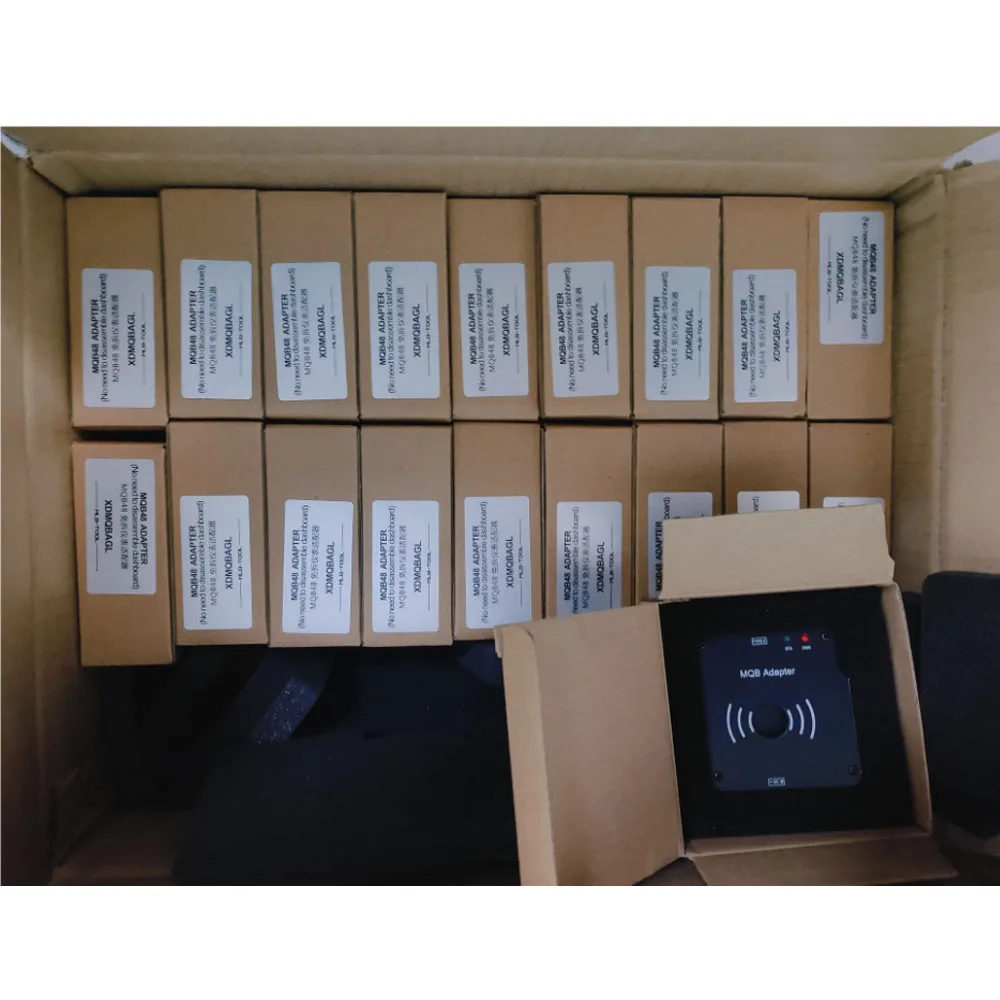
XHORSE XDMQBAGL MQB Adapter, with MLB equipment, does not need to disassemble the instrument but only the key, and only needs to solder two wires. With low risk, simple operation, it can add keys for most MQB48 keys.
Xhorse XDMQBAGL MQB48 Adapters for VVDI MLB Tool
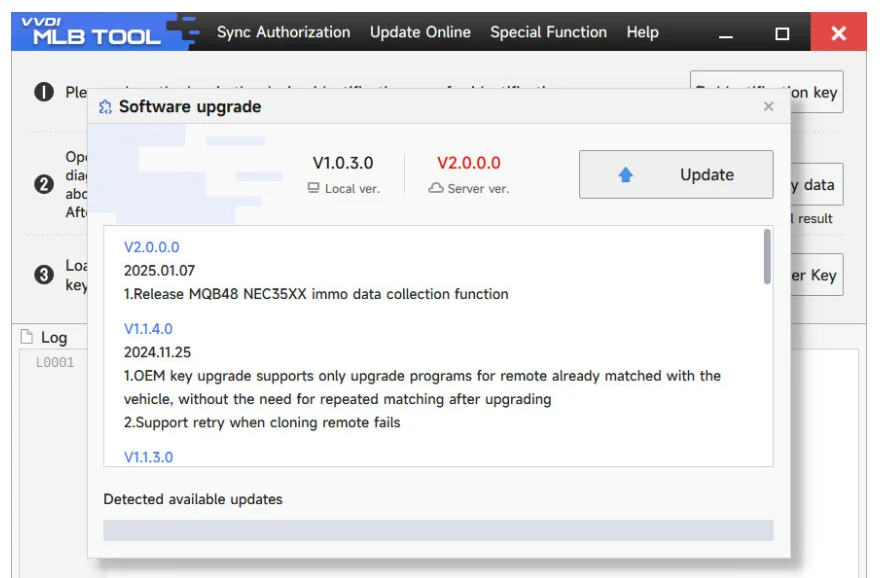
VVDI MLB Tool adds MQB48 NEC35XX immo data collection function.
XHORSE XDMQBAGL MQB Adapter, with MLB equipment, does not need to disassemble the instrument but only the key, and only needs to solder two wires. With low risk, simple operation, it can add keys for most MQB48 keys.
Features: No need to disassemble the instrument. Easier to read key data and add keys.
Xhorse VVDI MLB Tool V2.0.0.0 added the MQB48 NEC35XX IMMO data collection function.MQB48 adapter is required
to work together. Follow the steps below to update your MLB Tool firmware and enable the MQB48 adapter functionality.
VVDI MLB Tool V2.0.0.0 Update(2025.01.07)
New Features:
Added MQB48 NEC35XX immo data collection function
Functionality:
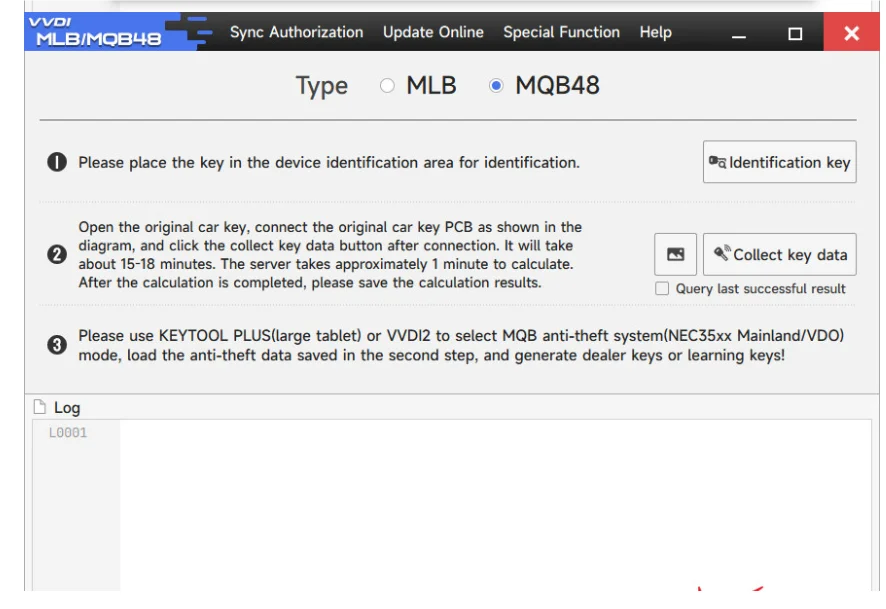
Similar to MLB, it allows key opening, data reading, and additional key programming.
Supports MQB48 Megamos AES
Reads immo data (CS code) from a working MQB key on the MQB48 platform, enabling key addition without needing to
remove the cluster for bench reading
Wiring & Connection Guide
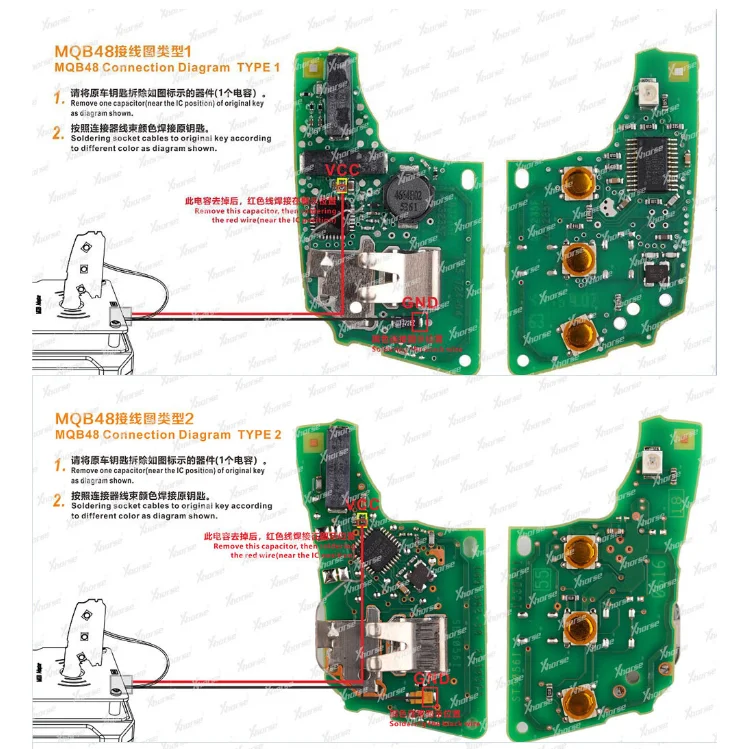
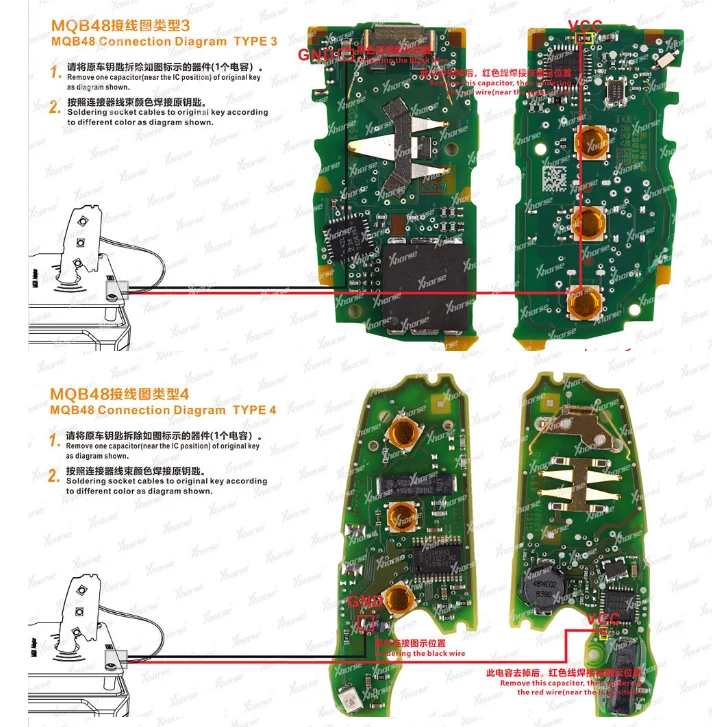
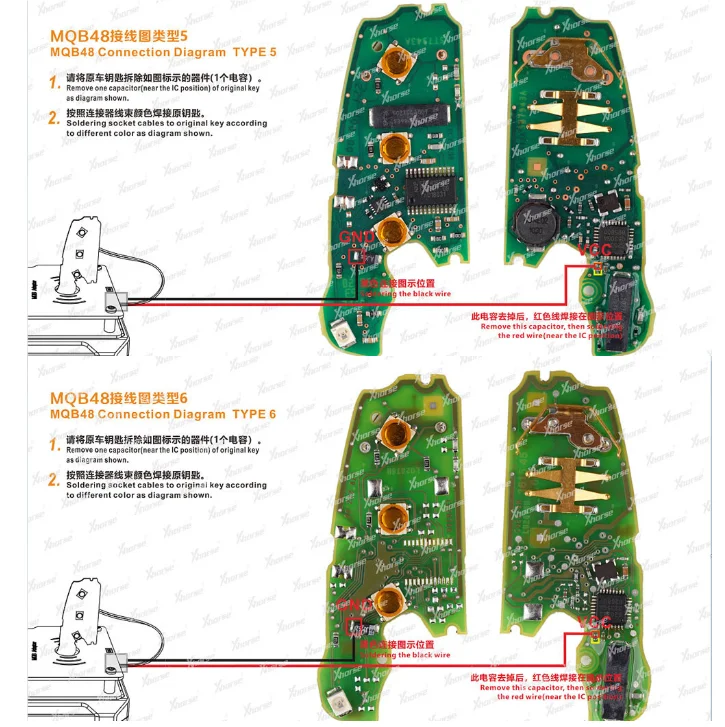
1.VVDI MLB Tool MQB48 Wiring Diagram
Remove one capacitor (near the IC position) on the original key, as shown in the diagram.
Solder the socket cables to the original key according to the specified colors in the wiring diagram.
2.Connecting theMQB48 Adapter to the VVDI MLB Tool
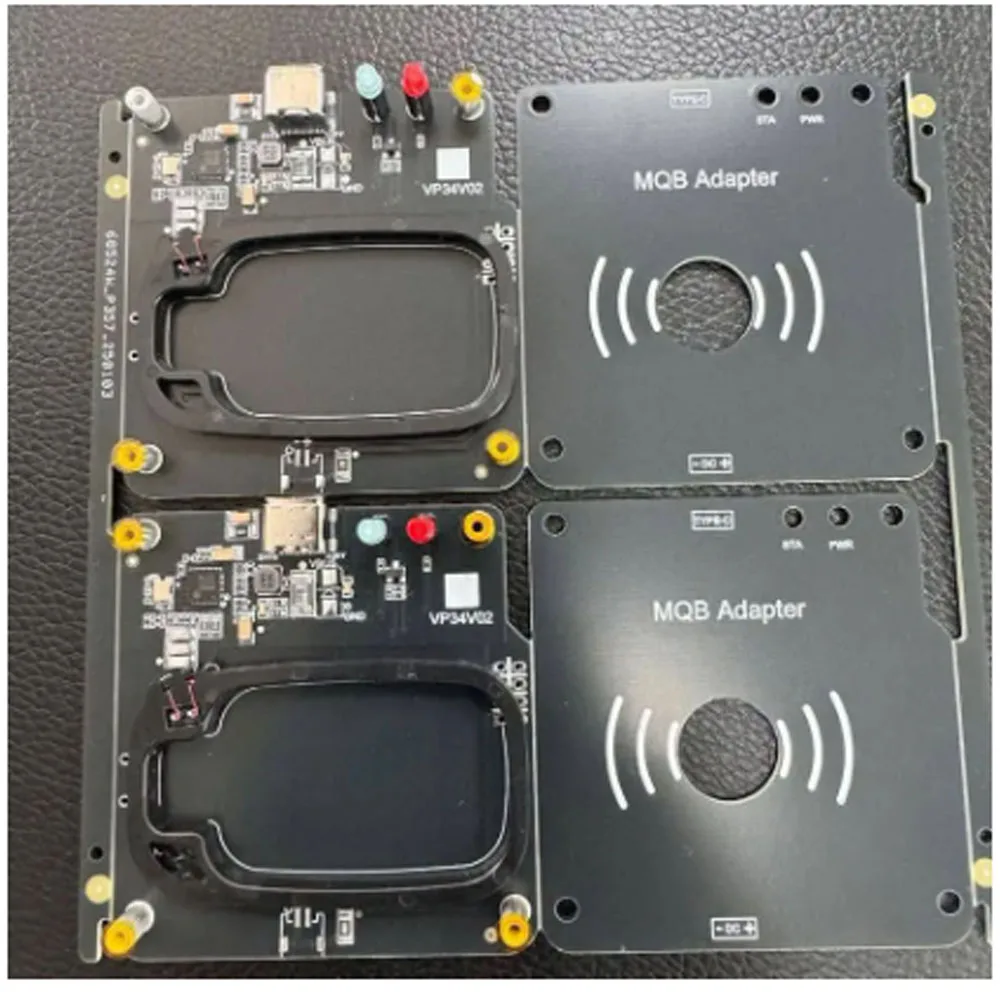
Requires additional Xhorse MQB48 adapters (coming soon)
Connection is shown in the diagram.
3.UpgradingVVDI MLB Tool for MQB48 Adapter Compatibility
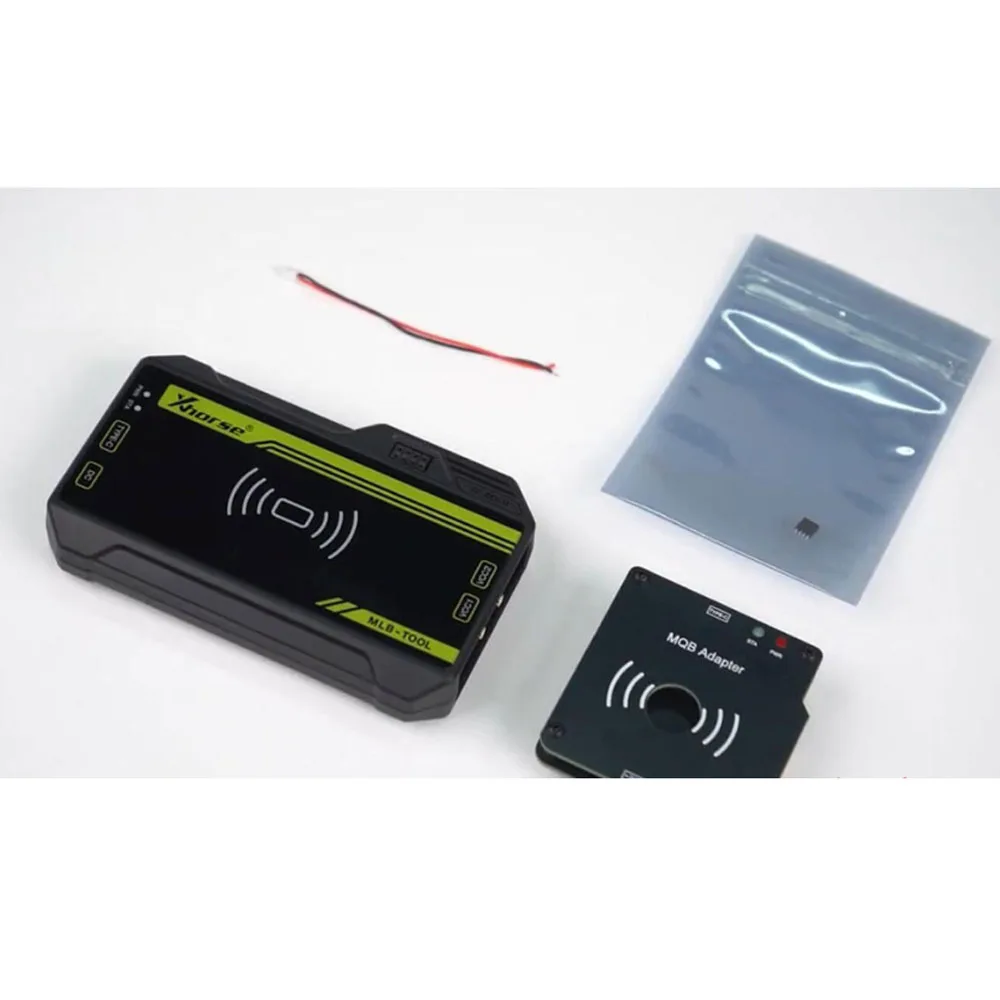
The MQB48 adapter includes soldered wires and an enhanced replacement chip.
4.Using the MQB48 Adapter for Immo Data Collection
Ensure both theXhorseMLB Tool and the MQB48 adapter are connected to a power supply before use.
Once connected properly, you can begin collecting immobilizer data.
Once connected properly, you can begin collecting immobilizer data.
Ensure both theXhorseMLB Tool and the MQB48 adapter are connected to a power supply before use.
4.Using the MQB48 Adapter for Immo Data Collection
The MQB48 adapter includes soldered wires and an enhanced replacement chip.
3.UpgradingVVDI MLB Tool for MQB48 Adapter Compatibility
Connection is shown in the diagram.
Requires additional Xhorse MQB48 adapters (coming soon)
2.Connecting theMQB48 Adapter to the VVDI MLB Tool
Solder the socket cables to the original key according to the specified colors in the wiring diagram.
Remove one capacitor (near the IC position) on the original key, as shown in the diagram.
1.VVDI MLB Tool MQB48 Wiring Diagram
Wiring & Connection Guide
remove the cluster for bench reading
。Reads immo data (CS code) from a working MQB key on the MQB48 platform, enabling key addition without needing to
。Supports MQB48 Megamos AES
oSimilar to MLB, it allows key opening, data reading, and additional key programming.
Functionality:
Added MQB48 NEC35XX immo data collection function
New Features:
VVDI MLB Tool V2.0.0.0 Update(2025.01.07)
to work together. Follow the steps below to update your MLB Tool firmware and enable the MQB48 adapter functionality.
Xhorse VVDI MLB Tool V2.0.0.0 added the MQB48 NEC35XX IMMO data collection function.MQB48 adapter is required


